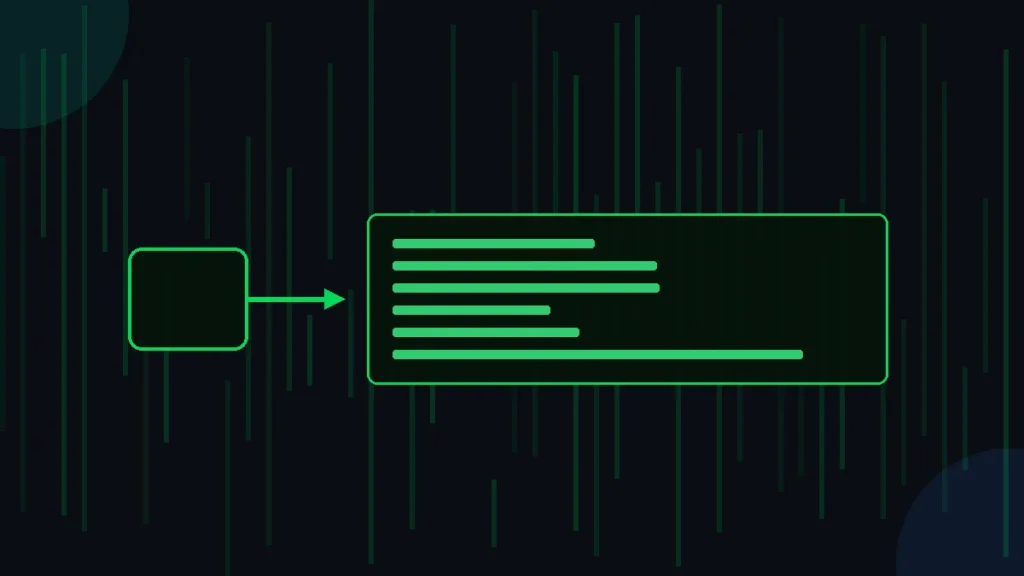
A hacker typer is a tiny web toy that makes you look like a fast coder. You store a block of real source code as text. Each key you press reveals the next few characters on screen. The result looks like a movie hacking scene, though no hacking happens.
This guide shows how to make a hacker typer from scratch. You get a working HTML and JavaScript example, a Python terminal version, and a Scratch path for kids. Want to see the goal first? See a finished example and then come back to build your own.
What Is A Hacker Typer And Why Build One?
A hacker typer is a program that prints stored code when you tap any key. The code is written in advance. Your typing speed and accuracy do not matter, because the tool ignores which key you hit.
People build one for fun, for pranks, and for film props. A student can fake a dramatic coding scene for a class video. A streamer can fill a background screen during a cyber themed stream. A teacher can show new coders how keyboard events work in a browser.
Building your own teaches three real skills. You learn event listeners, string slicing, and simple styling. These same ideas power chat apps, text editors, and games. A hacker typer is a small, safe sandbox for all three.
This page is about building the tool. If you only want to use a finished one and learn its keyboard tricks, read the guide on hacker typer commands instead.
How Does A Hacker Typer Work?
A hacker typer works by revealing stored text one chunk at a time. The program keeps a long string of source code and a number called the index. The index marks how much code has appeared so far.
Each key press runs four quick steps. The browser catches the key event. The code grabs the next few characters starting at the index. Those characters get added to the screen. The index then moves forward by the chunk size.
This loop repeats on every press. Because a few characters appear at once, the screen fills faster than a human could type. That speed is what sells the illusion. Nothing you type is read, so random mashing produces perfect code.
How Do You Build A Hacker Typer In HTML And JavaScript?
You build a hacker typer in HTML and JavaScript with one file and about thirty lines. The file holds the page, the style, the stored code, and the key listener. Copy the example below into a plain text file and save it as index.html.
<!DOCTYPE html>
<html>
<head>
  <meta charset="utf-8">
  <title>My Hacker Typer</title>
  <style>
    body { background:#000; color:#2ecc71; margin:0; }
    #screen { font-family:monospace; font-size:15px;
              padding:20px; white-space:pre-wrap; }
  </style>
</head>
<body>
  <div id="screen"></div>
  <script>
    var code = "function connect(host, port) {\n" +
      "  var socket = openSocket(host, port);\n" +
      "  while (socket.alive && port > 0) {\n" +
      "    sendPacket(socket, nextByte());\n" +
      "  }\n" +
      "  return socket.id;\n}\n";
    var index = 0;
    var step = 3;
    var screen = document.getElementById("screen");
    document.addEventListener("keydown", function (event) {
      event.preventDefault();
      if (index < code.length) {
        screen.textContent += code.slice(index, index + step);
        index += step;
        window.scrollTo(0, document.body.scrollHeight);
      }
    });
  </script>
</body>
</html>
Double-click the saved file to open it in your browser. Tap any keys and your stored code appears in green on a black screen. The line event.preventDefault() stops keys like the spacebar from scrolling the page.
\n marks a line break inside the string. Keep the two backslash n characters together, or your code will print on one long line.How Do The Key Parts Of The Script Fit Together?
Three variables carry the whole trick. The code string holds your source text. The index tracks your spot in that string. The step sets how many characters appear per key press.
The slice method copies characters from the index up to the index plus step. The textContent line adds that slice to the screen. The guard if (index < code.length) stops the loop once every character shows.
How Do You Make A Hacker Typer In Python?
You make a hacker typer in Python with the same stored string and index idea. Python runs in a terminal window instead of a browser. The script waits for input, prints a chunk, and moves the index forward.
Here is a tiny portable version. It waits for the Enter key, then prints the next three characters. Save it as typer.py and run it with the command python typer.py.
code = "import socket\nhost = '10.0.0.1'\nprint('scanning', host)\n"
index, step = 0, 3

while index < len(code):
    input()
    print(code[index:index + step], end="", flush=True)
    index += step
This snippet reads a full Enter press each time. Real terminal typers read one key at a time without Enter. On Windows the msvcrt module reads single keys. On Mac and Linux the termios module does the same job.
Python shines for a terminal look. You can color the text green with ANSI codes and clear the screen between runs. The core logic stays the same across every language, so the browser example and the Python one share one idea.
Can Kids Build A Hacker Typer In Scratch?
Yes, kids can build a hacker typer in Scratch with blocks instead of typed code. Scratch is a free visual tool from MIT. Children drag colored blocks to make programs, so they skip typing syntax.
The Scratch build uses a few blocks. A “when key pressed” block starts the action. A variable block tracks the index. A “join” block adds the next letters to a text list that shows on the stage.
Scratch suits young learners for three reasons. Blocks snap together only in valid ways, so spelling errors vanish. The result runs in a browser with no install. Kids see cause and effect right away, which keeps them curious.
How Do You Customize The Speed And Code Text?
You customize a hacker typer by changing two things, the chunk size and the stored string. Both edits take seconds. The chunk size controls speed, and the stored string controls what appears.
To change speed, edit the step value. A larger number reveals more characters per press, so the code races by. A smaller number slows the reveal for a calmer look. The table shows common settings.
| Step value | Characters per key | Best for |
|---|---|---|
| 1 | One | Slow, careful demos |
| 3 | Three | A balanced default feel |
| 8 | Eight | Fast, movie style bursts |
To change the text, replace the code string with your own source. Paste a snippet from any language, such as Python, Java, or CSS. Keep quotes escaped and line breaks marked, or the reveal will look broken.
Follow the five steps in the diagram for a clean build. Pick your code, store it as a string, add the key listener, reveal a chunk per press, then style the colors. Each step maps to one small block of the example above.
What Mistakes Should You Avoid When Building A Hacker Typer?
The most common mistake is forgetting to escape quotes inside the stored string. A stray double quote ends the string early and breaks the script. Switch inner quotes to single quotes or add a backslash before them.
A second mistake is leaving out event.preventDefault(). Without it, the spacebar scrolls the page and function keys trigger browser actions. The line keeps every key focused on the typer.
A third mistake is setting the step too high. A value like fifty dumps all the code in two presses, which ruins the effect. Keep the step between one and ten for a believable pace.
Test your file in more than one browser. Chrome, Firefox, and Edge all support the keydown event, so a correct file works everywhere. Open the browser console with F12 to read any error message if the screen stays blank.
Frequently Asked Questions
Do you need the internet to run a homemade hacker typer?
No, a homemade hacker typer runs offline. The HTML file holds the code text and the script inside it. You double-click the file and your browser opens it. It works on a plane or with the Wi-Fi switched off.
Can you put a homemade hacker typer on a real website?
Yes, upload the HTML file to any web host that serves static pages. GitHub Pages, Netlify, and most shared hosts work. The file needs no database and no server code, so it loads fast and stays cheap to run.
What file name should you give your hacker typer?
Name the main file index.html. Web hosts open index.html by default when someone visits a folder. On your own computer any name ending in .html works, such as typer.html. Avoid spaces in the name to keep links clean.
Does a hacker typer do any real hacking?
No, a hacker typer does zero hacking. It only reveals text you already stored. It never touches another computer, network, or account. The tool is a visual toy, like a screensaver, built for fun, pranks, and films.
Can you add sound effects to a hacker typer?
Yes, play a short audio clip on each key press with the JavaScript Audio object. Load a keyboard click sound, then call play inside the keydown function. Keep clips under one second so fast typing does not overlap badly.
How long does it take to build a hacker typer?
A basic HTML version takes about fifteen minutes. You copy the example, paste your own code text, and save. Styling the terminal colors and adding sound takes another hour. Beginners finish a polished version in one afternoon.