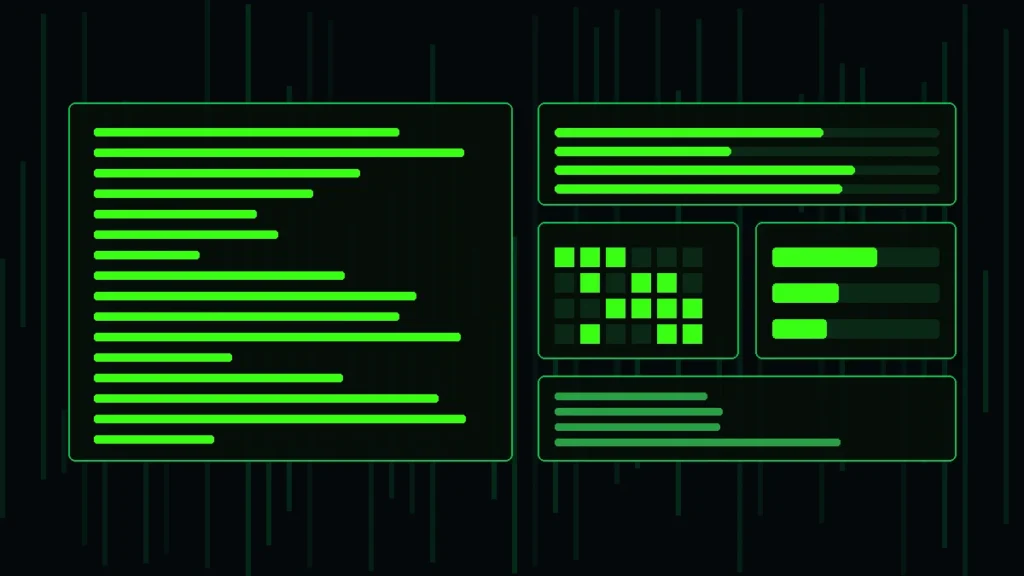
Hacker Typer 2.0 is the upgraded version of the classic simulator. Instead of one terminal, you get a full hacker dashboard that lights up as you type.
What Is Hacker Typer 2.0?
Hacker Typer 2.0 is an immersive hacker dashboard that runs in your browser. It shows five live panels at once: a main code terminal, a network scan, a grid of target nodes, system stats, and a log feed.
Every panel reacts to your typing. The code fills the terminal, the scan bars climb, nodes light up, the stats tick, and the log scrolls. Nothing is real. The whole dashboard is a visual effect for fun.
It is free, needs no download, and works on desktop and mobile. Press any key to start, or tap the screen on a phone.
How Is Hacker Typer 2.0 Different From The Classic Version?
The classic tool shows one terminal. Hacker Typer 2.0 shows a whole control room that moves together.
The dashboard view looks more like the hacking scenes in movies. The extra panels add motion and detail, which reads better on a stream or in a video. The table below compares the two.
| Feature | Classic Hacker Typer | Hacker Typer 2.0 |
|---|---|---|
| Main view | One code terminal | Five live panels |
| Motion | Scrolling code | Code, scan bars, nodes, stats, log |
| Best for | Quick typing effect | Streams, videos, immersive scenes |
| Access Granted | ALT x3 | ALT x3 or the Breach button |
Want the simple version? Open the classic Hacker Typer simulator instead.
Is There A Hacker Typer 3.0, Neo, Or Newer Version?
Hacker Typer 2.0 is the most advanced version on this site. Searches for “Hacker Typer 3”, “Hacker Typer Neo”, or “Hacker Typer 4” all point to the same wish: a richer, more cinematic simulator than the original single terminal. This dashboard is that upgrade — a five-panel control room built for 2026.
There is no separate 3.0 app to download. New features land here, in the 2.0 dashboard, as free browser updates. So whether you searched for 2.0, 3.0, or Neo, this is the current, most immersive Hacker Typer to use.
| Version people search | What it means | Where to use it |
|---|---|---|
| Hacker Typer (classic) | The original one-terminal effect | Classic simulator |
| Hacker Typer 2 / 2.0 | The five-panel immersive dashboard | This page |
| Hacker Typer 3 / Neo | Search terms for a “next” version | Use the 2.0 dashboard — it is the latest |
The Five Live Panels, Explained
Every key press feeds five panels at once. Here is what each one does.
- Main terminal: streams realistic code — Python, C, SQL, and shell — line after line as you type.
- Network scan: animated bars for eth0, wlan0, vpn0, tor0, and DNS climb and reset like live traffic.
- Target nodes: a grid of nodes lights up one by one, as if machines fall across a subnet.
- System stats: CPU load, packet count, and total lines tick upward to show a busy machine.
- Live log: status lines scroll by — subnet mapped, port open, root shell obtained, tracks cleared.
How Do You Use The 2.0 Dashboard?
You control the dashboard with a few simple inputs. The hint bar under the panels lists them too.
- Any key or tap: advances every panel at once.
- ALT three times, or the Breach button: shows the Access Granted overlay.
- CAPS LOCK three times: shows Access Denied.
- ESC: closes the overlay.
- Theme button: switches between green and red alert.
- Fullscreen or F11: fills the screen for a cleaner shot.
What Can You Do With Hacker Typer 2.0?
The dashboard suits any moment that needs a convincing tech scene. It works well for playful, harmless use.
- Stream it as a busy background during a game or a chat.
- Record a short clip for a video intro or a social post.
- Prank a friend with a full control-room scene, then reveal the trick fast.
- Set the mood at a tech-themed party on a big screen.
Keep it a joke. For more setups, see our hacker prank ideas and the commands and shortcuts.
Frequently Asked Questions
What Is Hacker Typer 2.0?
Hacker Typer 2.0 is an upgraded hacker simulator. It shows several live panels at once, including a code terminal, a network scan, target nodes, system stats, and a log feed.
Is Hacker Typer 2.0 Free?
Yes. Hacker Typer 2.0 is free and runs in your browser. It needs no download and no account. Every panel and control is open to use right away.
Does Hacker Typer 2.0 Do Real Hacking?
No. The dashboard only shows visual effects. It touches no files, networks, or accounts. The scans, nodes, and logs are fake output for entertainment.
How Do I Trigger Access Granted In The 2.0 Dashboard?
Press the ALT key three times, or click the Breach button. A full-screen Access Granted message appears. Press ESC to close it and keep typing.
Does Hacker Typer 2.0 Work On Mobile?
Yes. On a phone or tablet, tap the dashboard to advance every panel. The layout stacks into a single column so each panel stays readable on a small screen.
Is There A Hacker Typer 3 Or Hacker Typer Neo?
No separate 3.0 or Neo app exists. Those are search terms for a newer, richer simulator. The 2.0 dashboard on this page is the latest and most immersive version, updated free in your browser.
Can I Use Hacker Typer 2.0 Unblocked At School?
Yes. Hacker Typer 2.0 runs in a normal browser tab with no download and no login, so it works on most school and work networks. Nothing is installed and nothing real is accessed.
How Is 2.0 Different From The Original Hackertyper?
The original shows one scrolling terminal. The 2.0 dashboard adds four more live panels — a network scan, target nodes, system stats, and a log feed — so the whole screen moves like a movie hacking scene.